
Introduction
Hiver aims to solve these problems by providing a customer service and team collaboration platform that helps businesses organise conversations, assign responsibilities, automate repetitive tasks, and improve response times.
In this Hiver review, we examine its key features, ease of use, AI capabilities, advantages, disadvantages, pricing considerations, and suitability for different types of businesses. We also look at customer feedback to help you decide whether Hiver is the right solution for your team.
What Is Hiver?
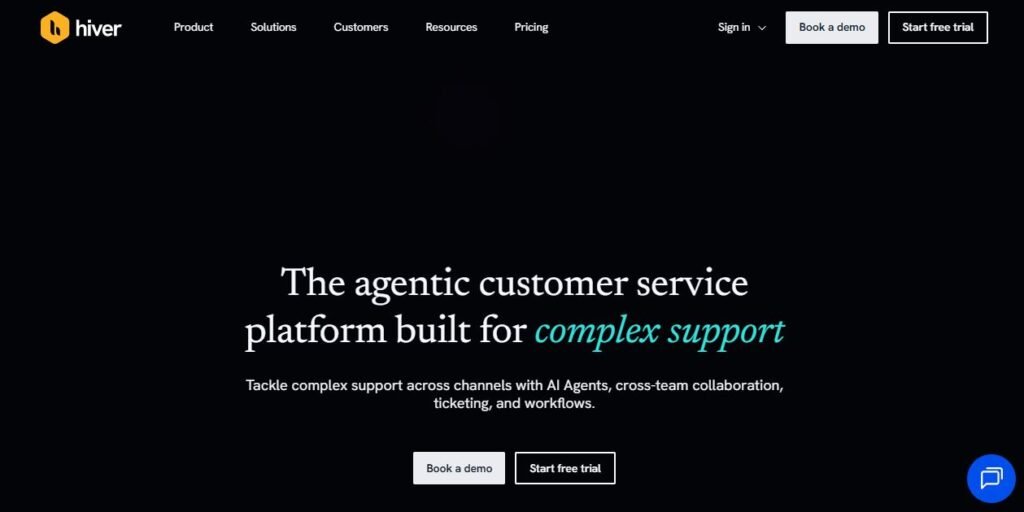
Businesses can use Hiver to manage support emails, assign requests to team members, track conversations, automate workflows, and monitor customer service performance.
The platform supports workflows across channels such as email, live chat, voice, WhatsApp, and Slack, depending on the product and configuration. Its AI tools are designed to assist with tasks such as sorting incoming requests, drafting replies, finding relevant information, and automating more complex support processes.
Hiver is aimed at organisations that want to improve customer service without creating unnecessary complexity for their employees.
Hiver Review: Key Features
Businesses often use email addresses such as support@company.com, sales@company.com, and billing@company.com to manage incoming requests. Without a dedicated system, several employees may need to access the same inbox, making it difficult to determine who is responsible for each message.
Its collaboration features help employees see which conversations are being handled and reduce the risk of duplicate replies.
Our assessment: This is one of Hiver’s most useful features, particularly for teams that already depend on Gmail for daily communication.
2. AI-Powered Customer Support
Hiver has expanded its AI capabilities to support more than basic email management.
Its AI tools include features designed to help employees understand customer enquiries, generate suggested responses, identify relevant information, and automate routine tasks. Hiver also offers AI Agents that can follow defined procedures and work across connected systems to handle more complex requests.
For example, an AI-assisted workflow could help categorise a billing enquiry, retrieve relevant account information, and route the request to the appropriate team.
These capabilities can reduce manual work and help employees respond more consistently. However, results depend on the quality of the information available, the accuracy of configured workflows, and the level of human oversight.
Our assessment: Hiver’s AI features are promising for businesses with repetitive support processes. Teams should test them against real requests before relying on automated actions for sensitive or complex issues.
3. Workflow Automation
Hiver includes automation capabilities that help businesses reduce repetitive administrative tasks.
For example, incoming billing requests could be routed to the finance team, while urgent technical problems could be prioritised for faster attention.
Automation can improve consistency and reduce the time employees spend sorting incoming messages manually.
However, businesses need to configure their workflows carefully. Poorly designed rules can send requests to the wrong team or cause unnecessary delays.
Our assessment: Workflow automation is valuable for growing teams that receive a high volume of similar requests. Smaller teams with straightforward email requirements may not need every available automation feature.
4. Omnichannel Customer Support
Hiver Omni is designed for businesses that manage customer conversations across multiple communication channels.
Depending on the setup, teams can bring together interactions from email, live chat, voice, WhatsApp, Slack, and other supported channels in a central workspace.
This approach helps employees maintain context when a customer switches from one channel to another. It also gives managers a clearer view of incoming requests and the team’s workload.
For businesses with customers who expect support through different channels, a unified workspace can reduce the need to switch between separate tools.
5. Team Collaboration
Hiver provides tools that allow employees to collaborate on customer conversations without unnecessarily involving the customer in internal discussions.
These tools are particularly useful when resolving enquiries that require input from multiple departments. A support agent, for example, may need assistance from finance before responding to a customer about a payment issue.
By keeping internal discussions connected to the relevant conversation, Hiver can help reduce email forwarding and improve accountability.
6. Reporting and Analytics
Hiver offers reporting capabilities that help managers monitor customer service performance.
Depending on the product and plan, teams can review metrics such as response times, resolution times, service-level agreement performance, conversation volumes, and customer satisfaction.
These insights can help managers identify workload imbalances, recurring customer issues, and areas where employees may need additional support.
However, some customer reviews suggest that reporting could be more flexible and that certain teams would benefit from more detailed analytics.
Our assessment: Hiver provides useful performance visibility, but businesses with advanced reporting requirements should test its dashboards and exports before committing.
7. Integrations
Hiver supports integrations with selected business applications to help teams access relevant information and manage work across their existing systems.
Depending on the setup, integrations can connect support workflows with CRM, project management, finance, and other business tools.
These connections can reduce manual data entry and help employees avoid switching between applications to find customer information.
Before choosing Hiver, businesses should confirm that the specific integrations they depend on are available and support the actions they need.
Our assessment: Integrations can make Hiver more useful as part of a broader business workflow. However, integration depth and compatibility should be checked during the evaluation process.
Hiver Pros and Cons
Understanding both the advantages and limitations is important when deciding whether Hiver meets your requirements.
Pros of Hiver
- Easy-to-understand interface: The Gmail-based experience can feel familiar to teams that already use Google Workspace.
- Effective shared inbox management: Employees can assign, organise, and track conversations more clearly.
- Improved collaboration: Internal notes and assignments help teams coordinate responses.
- Reduced duplicate work: Conversation ownership and collision alerts help prevent multiple employees from responding to the same enquiry.
- Automation capabilities: Routine tasks can be streamlined through configurable workflows.
- AI assistance: AI tools can help with triage, drafting replies, knowledge retrieval, and more advanced workflows.
- Multiple support channels: Hiver Omni can help businesses manage interactions across supported channels from one workspace.
- Performance tracking: Reporting tools help managers monitor service delivery and identify operational issues.
Cons of Hiver
- Pricing can be a concern: Costs may become significant as the team grows or requires more advanced capabilities.
- Feature availability varies: Some functionality depends on the product, subscription plan, and configuration.
- Learning curve for advanced features: Teams may need time to configure workflows, automation, reporting, and AI tools.
- Reporting limitations: Some users have reported wanting more detailed or flexible analytics.
- Occasional performance issues: Some customer reviews mention lag, syncing delays, or reliability problems.
- Integration requirements: Businesses should verify that their essential third-party tools are supported adequately.
- Gmail-focused experience: Teams that prefer managing support entirely within another environment may find Hiver in Gmail less suitable, although Hiver Omni provides a separate workspace.
Overall, Hiver offers practical tools for customer service and collaboration, but the value depends on your team’s requirements, subscription costs, and technical setup.
Hiver Ease of Use: Is It Beginner-Friendly?
Hiver’s ease of use is one of its main selling points, particularly for teams using Gmail.
Employees who already understand email workflows can generally grasp the basic concepts of assigning messages, adding notes, and tracking requests without learning an entirely unfamiliar help desk system.
This familiarity can make adoption easier and reduce the amount of training required for everyday tasks.
Hiver Omni also introduces a dedicated support workspace, which may require a different onboarding process from the Gmail-based product.
Verdict on usability: Hiver is generally a good option for teams that value a familiar interface and straightforward collaboration. Businesses planning to use its more advanced capabilities should allow time for setup and training.
Hiver Pricing:
Hiver’s pricing depends on the product, subscription plan, and features required. Costs can also vary according to the number of users and whether a business needs advanced automation, AI functionality, analytics, or omnichannel support.

Rather than relying on an outdated price list, check the current plans on Hiver’s official website before making a decision.
When evaluating the cost, consider the following factors:
- Number of employees who need access.
- Number of shared inboxes and support channels.
- Availability of the automation and AI features you require.
- Integration and reporting requirements.
- Customer support and onboarding needs.
- Expected savings from reduced manual work and fewer missed enquiries.
The most useful way to evaluate Hiver’s pricing is to compare the subscription cost with measurable improvements in productivity, response times, and customer service quality.
Pricing verdict: Hiver may justify its cost for teams that regularly manage complex or high-volume customer requests. For businesses with limited requirements, a simpler or less expensive solution may be sufficient.
What Do Customers Say About Hiver?
Customer feedback provides useful insight into how Hiver performs in everyday business environments.
It is also worth remembering that software review platforms may include both incentivised and non-incentivised reviews. Ratings should therefore be considered alongside your own requirements and practical testing.
Hiver vs. Other Customer Support Tools
| Platform | Best suited for | Main consideration |
|---|---|---|
| Hiver | Teams that want shared inbox management and AI-assisted support | Evaluate plan costs and required features |
| Zendesk | Businesses that need a broad customer service and ticketing system | May require more configuration |
| Freshdesk | Teams looking for a dedicated help desk with ticket management | Compare available plans and integrations |
| Front | Teams that want collaborative customer communication across channels | Compare workflow needs and total cost |
| Help Scout | Businesses that prioritise straightforward customer support and shared inboxes | Check advanced automation requirements |
These are general positioning differences rather than a definitive ranking. Product features and prices can change, so compare the current offerings before choosing a platform.
Who Should Use Hiver?
Hiver is likely to be a good fit for:
Customer support departments: Employees who handle large volumes of incoming questions and need clear ownership of each request.
Finance and HR teams: Departments that coordinate internal enquiries, approvals, billing questions, and employee requests.
Growing organisations: Businesses that need structured workflows as the number of incoming requests increases.
Teams adopting AI support tools: Businesses that want to automate repetitive tasks and help employees resolve requests more efficiently.
Who Might Want an Alternative?
Hiver may be less suitable for businesses that:
- Need extensive custom reporting beyond what the chosen plan provides.
- Have strict requirements for integrations that Hiver does not adequately support.
- Prefer another email or support environment and do not need Hiver Omni.
- Have very low email volumes and can manage requests with existing tools.
- Need specific enterprise features that are unavailable or too expensive under their preferred plan.
In these cases, comparing Hiver with alternatives such as Zendesk, Freshdesk, Front, or Help Scout may help identify a better fit.
Is Hiver Safe for Business Use?
When choosing a customer service platform, security and privacy should be part of the evaluation.
Businesses may use Hiver to handle customer correspondence, account details, financial enquiries, and internal communications. Before deploying it, review the provider’s current security documentation, privacy policy, data processing terms, access controls, and available compliance information.
You should also confirm how your organisation’s data is handled by any AI features you intend to enable.
For businesses operating in the UK or European Union, it is particularly important to assess data protection obligations and ensure that the platform’s configuration and contractual terms meet the organisation’s requirements.
Do not assume that every security or compliance requirement is automatically satisfied simply because a platform is designed for business use.
Tips for Getting the Most Out of Hiver
To get better results from Hiver, consider the following practical steps:
- Organise your shared inboxes. Create clear inbox structures for customer support, sales, finance, and other functions.
- Define ownership rules. Make sure every request has a clear person or team responsible for handling it.
- Automate repetitive tasks. Start with straightforward rules for tagging, assignment, and prioritisation.
- Use internal collaboration tools. Keep notes and discussions connected to the relevant conversation.
- Monitor service metrics. Track response times, resolution times, and outstanding requests to identify bottlenecks.
- Test AI features carefully. Verify generated responses and automated actions before expanding their use.
- Review your costs regularly. Check whether your subscription continues to provide value as your team grows.
These practices can help businesses improve their workflows without making the system unnecessarily complicated.